Home > Xbox 360 > Chargers > Controller and Battery USB Charging Dock Station for XBOX 360

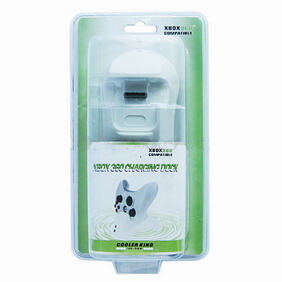
Controller and Battery USB Charging Dock Station for XBOX 360
Controller and Battery USB Charging Dock Station for XBOX 360

Controller and Battery USB Charging Dock Station for XBOX 360
Details
SKU chargingdock
 
Our price: $14.95
Options
Quantity Out of stock

IN Stock

XBox360 Charging Dock: Recharge the XBOX360 wireless controller,simultaneously recharge the controller and battery pack by using USB connection.Red LED charging indicator lights.It can recharge the AA rechargeable batteries with different capacity.
Working voltage:
USB5V
Working current:
500MA.

How to use:
Set the official XBOX360 wireless controller in the front charging dock,and only put the battery pack in back charging dock.
The PAD LED light indicates the charging status of controller,BAT LED light indicates the charging status of battery pack.
Plug the USB cable into the charging dock and the USB port of console.
If the red LED light in charging,it keeps red,it means the battery is recharging.
When the battery is fully charged the LED light will keep green.

: *
: *
: *
Type the characters you see in the picture:


*
 
Hanging Jacket Hook Spy Camera Xecuter DemoN Corona 16MB Converter QSB XBox Aladdin Advance XT Modchip PLUS2
$29.99
$2.95
$18.95

Product rating

Sign in to rate

Customer Reviews

There have been no reviews for this product.
No news available at the moment
I preordered a wasabi 360 slim and got it last month. It installed very easily and with the latest firmware v1.2beta3 it extracted my DVD .bin within seconds. I have used modchipcentral for years and sometimes they are a couple dollars higher but they are quality!! You know you are getting what you pay for and not getting a cheap look a like.I would like to add to the firmware extraction step. When you are ready to get your firmware you must push and hold the small green up arrow located around the left button on the slim console before you turn on the Xbox,then turn on the Xbox and continue to hold it until the Xbox comes on this only took 10seconds tops. Also when you are installing this MAKE sure the power cable is oriented the right way(the end with the extra small 2 cords should plug into the DVD drive so they can reach the wasabi and give it power. The 2 small cords will not reach if you mess up on this step.
Tommy Caldwell

View All Testimonials

Write Your Own Testimonial
Latest Products RSS Feed
Bestselling Products RSS Feed
Featured Products RSS Feed
Specials RSS Feed